 Nudge
Nudge
Native for Mac · Early release 1.0.1
A little tap
on the shoulder.
Your coworkers, right there on your local network. Send a friendly notification when you need a hand, a moment, or a coffee.
Download for MacmacOS 14 or later · Apple silicon & Intel
Prefer an archive? Download the ZIP
Developer ID signed. Notarized by Apple.
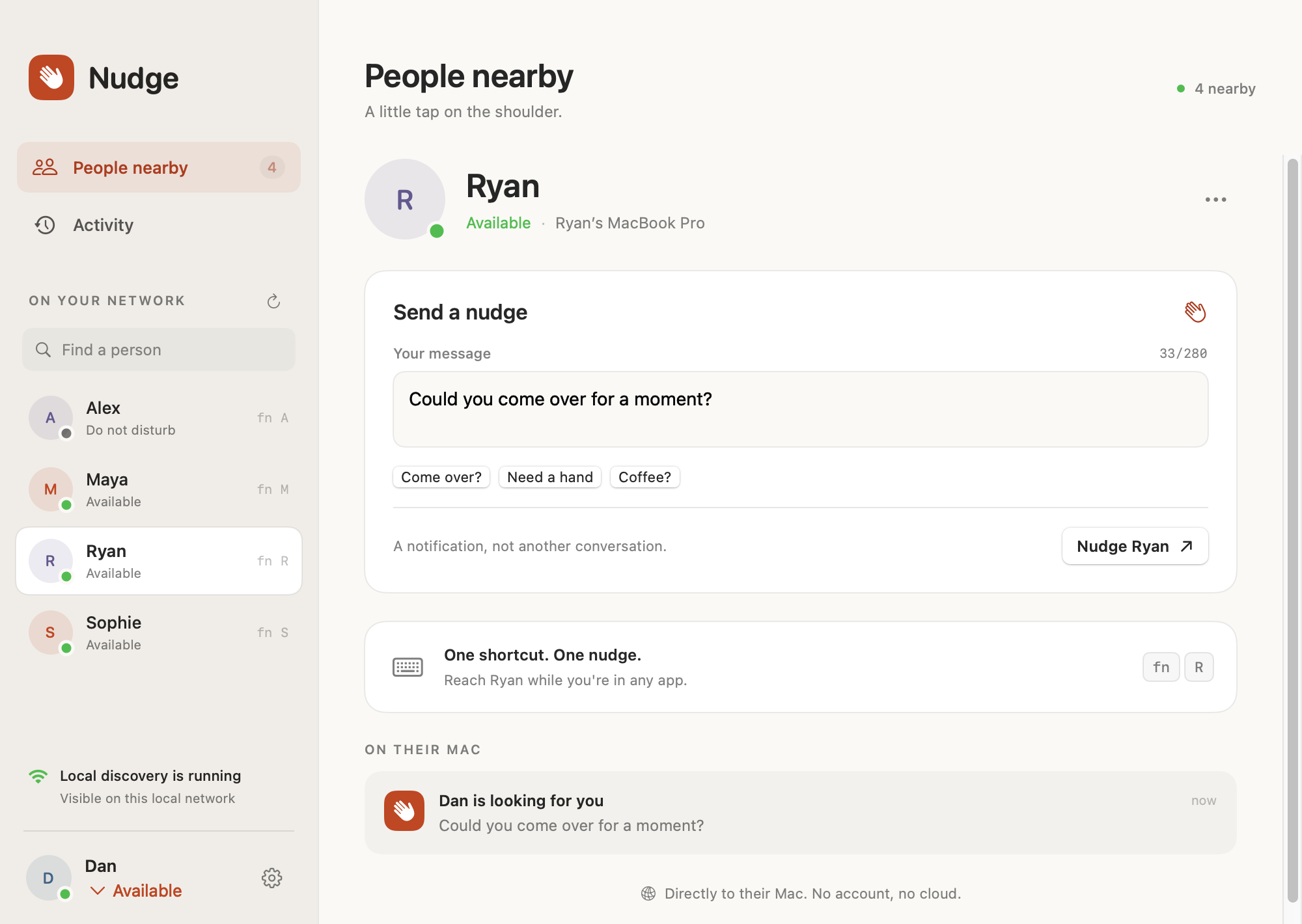
A shortcut for your person.Assign R to Ryan. He gets “Dan is looking for you.”
Get your team in the room.
-
Install. Introduce yourself.
Open the disk image and drag Nudge to Applications. Everyone installs the app and enters their name.
-
Join the same network.
Keep Nudge running and allow Local Network access when prompted. Your coworkers appear automatically. Enable notifications to receive nudges.
-
Choose a person. Send a nudge.
Write a message or assign a letter shortcut. Allow Accessibility access to use Fn + letter from any app. You can pause incoming nudges anytime.
Made for your trusted office network.
Messages travel directly between Macs. No account, analytics, or cloud messaging. Discovery and messages are unencrypted, and names are not verified. Use a trusted LAN and keep sensitive information out of nudges.
A few things to know.
Guest Wi-Fi and VPNs can prevent discovery. Focus and macOS notification settings still apply. Some Fn combinations are reserved by macOS. This early build still needs live testing between two Macs. Download checksums.